7.3 - Di2 Without E-Tube, Biketerra, and Steering for Everyone
BikeControl 7.3: Shimano Di2 works as a controller without setting up D-Fly channels in E-Tube, Biketerra is officially supported, and phone steering is now part of Base.
- Published
- Reading time
- 3 min
- Author
- Jonas Acker
Di2 Without E-Tube, Biketerra, and Steering for Everyone
7.3 is a smaller release than 7.2, but it covers three things many of you asked for: Shimano Di2 that just works, official Biketerra support, and phone steering without Pro.
Shimano Di2: no more D-Fly setup in E-Tube
Di2 shifters have worked with BikeControl for a while, but only after a detour: first you had to open Shimano's E-Tube app and assign your buttons to D-Fly channels. That step is gone.
Now BikeControl talks to your wireless Di2 directly. Add it in Devices, tap Use Di2 buttons once, and BikeControl switches your Di2 into button mode. From then on, while BikeControl is connected, your four paddles are BikeControl buttons: shift virtual gears, steer, navigate menus, or anything else you map to them.
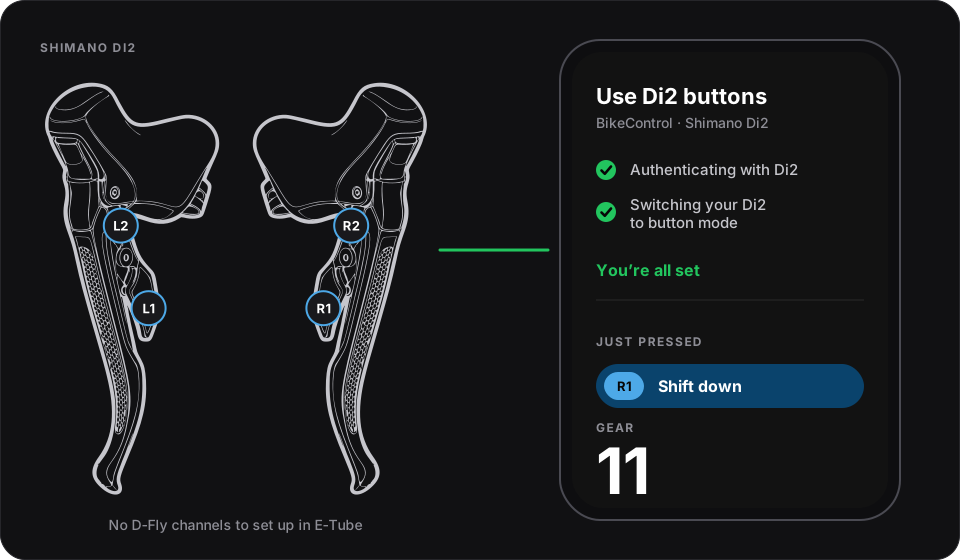
A few things worth knowing:
- Nothing on your Di2 is changed. BikeControl doesn't write any Di2 setting. Disconnect BikeControl and your Di2 shifts normally again, ready for your next ride outside.
- While BikeControl is connected, your Di2 doesn't shift by itself. That's on purpose: indoors your paddles drive virtual shifting instead of moving the real derailleur.
- The E-Tube passkey is only asked for if you changed it from the default in the E-Tube app.
If your Di2 doesn't respond during setup, press any shifter button to wake it and keep it close to your phone, tablet or computer.
Biketerra is officially supported
Biketerra now speaks OpenBikeControl, the open protocol for controllers and trainer apps. Choose Biketerra as your trainer app, and it connects to BikeControl over Bluetooth, with your controller buttons working right away. No keyboard shortcuts, no window that needs focus. Biketerra explains the setup on its side in its OpenBikeControl help article.
The previous ways to connect, the Zwift-style Bluetooth connection and the keyboard shortcuts, are still there for setups that need them.
Phone steering is now part of Base
Phone steering is now part of Base. Mount your phone on your handlebar and turn the bars to steer in your trainer app, no Pro needed.
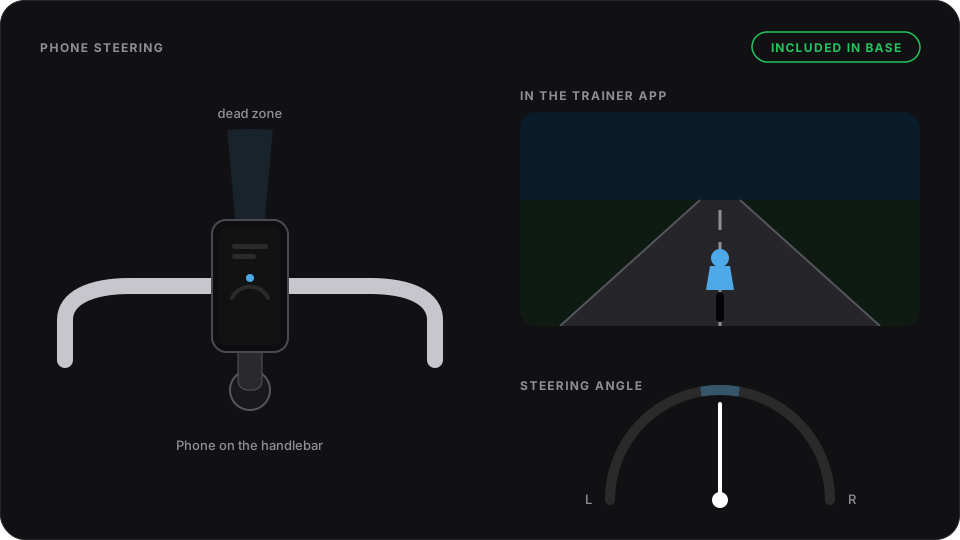
It's the same steering 7.2 reworked: it reads your handlebar precisely, shows the live angle, and lets you set a dead zone so a little wobble while you pedal doesn't send you off the road.
Also in 7.3
- Stages SB20 (beta): the bike's shift buttons work as a BikeControl controller.
- Setup steps only ask you to map buttons and wait for your trainer app once a controller is connected.
- Android gear overlay: its notification now has its own icon, says what it is, and has a Hide overlay button.
- Gamepads keep working while your trainer app is in front, on Android, macOS and Windows.
- Virtual shifting is more reliable on trainers that apply gears without confirming them, like the Wahoo KICKR family and Tacx Neo.
- Plus fixes for Bluetooth devices that couldn't report their battery, Wi-Fi trainer connections, and support screenshots.
A note on Rouvy
Rouvy has ended its official support for BikeControl, so Rouvy is no longer listed as an official partner in BikeControl or on this website. BikeControl still connects to Rouvy like it does to other trainer apps, but I can't promise every feature keeps working with future Rouvy updates.
If something stops working for you in Rouvy, tell me in the support chat in the app under Settings → Help Center, so I can look into it.
Get BikeControl
A 5-day trial on every platform (7 on Windows) to check it works with your setup. Base is bought once per platform; Pro is a subscription.