
Use AirPods Pro 3 as a heart rate monitor in Rouvy
No chest strap. BikeControl reads the heart rate your AirPods Pro 3 measure, and hands it to Rouvy as an ordinary sensor.




PROSensors are part of Pro.Base and Pro compared
What you need for Rouvy
Earbuds
AirPods Pro 3
On an iPhone or iPad with iOS 26 or later.
Heart-rate source
Apple Health
BikeControl reads the earbuds' heart rate from Apple Health.
Reaches Rouvy over
Bluetooth or Network
Rouvy pairs "BikeControl" like a strap, or finds it on your Wi-Fi.
What you need
PRO
Sensors are part of BikeControl Pro, and the Apple Health source is iOS and iPadOS only — on Android, Windows and macOS, use a Bluetooth heart-rate strap instead.
Why Rouvy cannot see your AirPods on its own
AirPods Pro 3 measure your heart rate in your ear, but they never advertise it the way a chest strap does — there is no Bluetooth heart-rate service for Rouvy to pair with. The reading goes to Apple Health instead, which is where BikeControl picks it up.
One catch worth knowing up front: the earbuds only sample continuously while a workout session is running. On iOS 26 BikeControl starts one itself and throws it away when you stop, so you get a live reading without a phantom Indoor Cycling workout appearing in Fitness. On older iOS versions BikeControl can only read what another workout is already recording.
Setup: AirPods Pro 3 + Rouvy
Update to BikeControl 7.0
Install BikeControl 7.0 or later on the iPhone your AirPods Pro 3 are paired with. Sensors are a Pro feature.
Put your AirPods Pro 3 in
Wear both earbuds. On iOS 26 BikeControl starts a workout session of its own to keep them measuring, and discards it when you stop.
Pick Apple Health as the heart-rate source
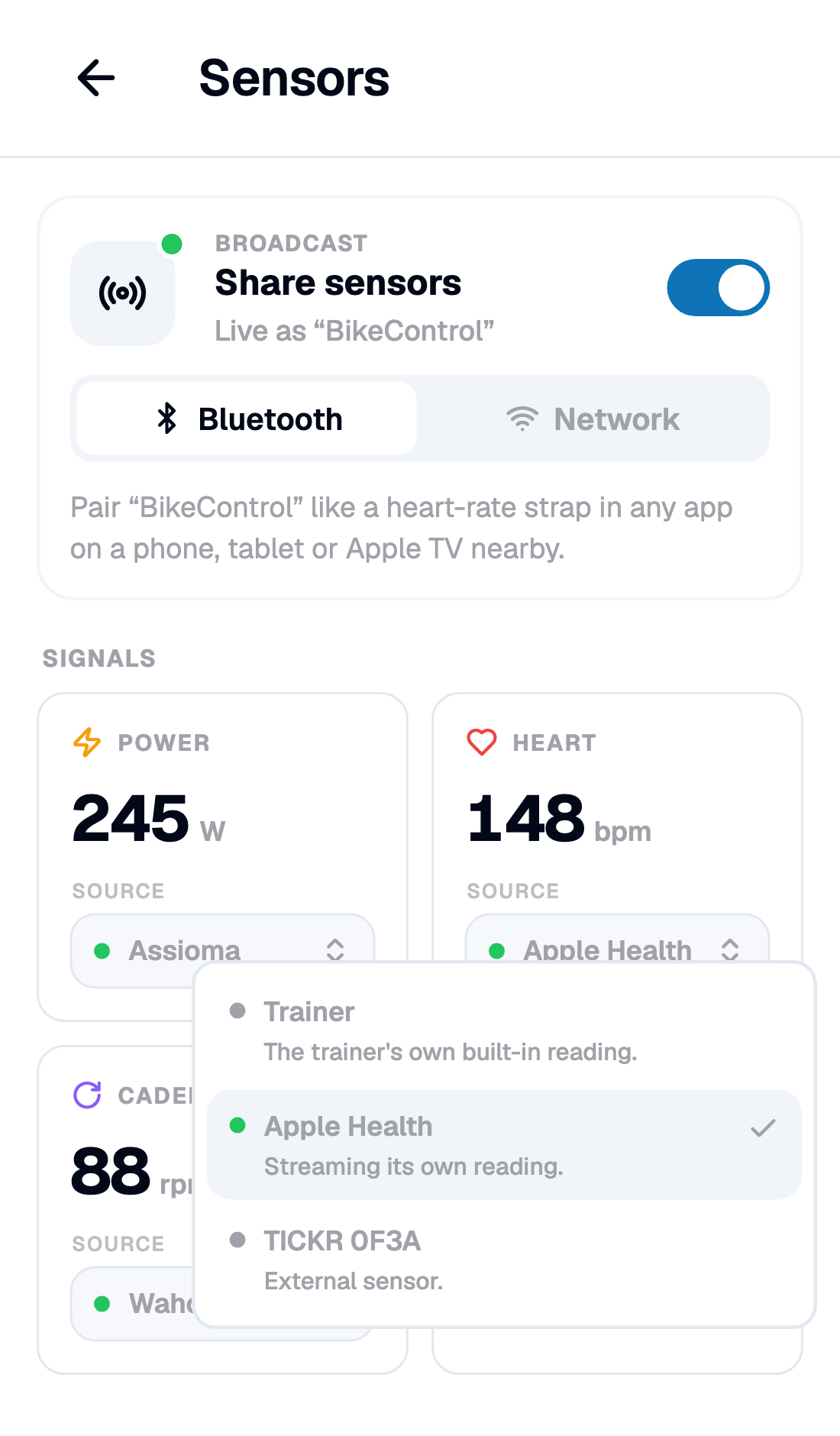
Open the heart-rate tile in BikeControl, choose Apple Health from the Source list, and allow heart rate when iOS asks.
Point Rouvy at BikeControl
If BikeControl already bridges your trainer into Rouvy, heart rate arrives on that connection. Otherwise switch on Broadcast on the Sensors page — Rouvy finds "BikeControl" over Wi-Fi, or pairs it over Bluetooth like a strap.
Ride
Your heart rate appears in Rouvy next to power and cadence. If the earbuds drop out, BikeControl says so on the tile and hands the signal back to your trainer.
Two ways it reaches Rouvy
Either way Rouvy sees one device called "BikeControl" — the same one your gears come through, if you use virtual shifting.
Bluetooth
Switch on Broadcast on the Sensors page and pair "BikeControl" in Rouvy the way you would pair a heart-rate strap. The device running Rouvy has to be a different one — a phone cannot pair with itself over Bluetooth.
Network
Rouvy finds "BikeControl" on your Wi-Fi by itself — the same discovery it already uses for the trainer, so an Apple TV or a PC picks up your heart rate with nothing plugged into it.
Frequently asked questions
Can Rouvy read heart rate from AirPods Pro 3?
Do I need iOS 26?
Does BikeControl leave a workout in my Fitness app?
Can I use an Apple Watch instead?
Where does Rouvy see the heart rate?
Is this free?
Use AirPods Pro 3 with another app
Your heart rate in Rouvy, from your AirPods Pro 3.
Heart rate from your AirPods Pro 3 is part of Pro, a subscription. No chest strap needed.